Expiro - How I Built an Expiry Tracker for a Minimart
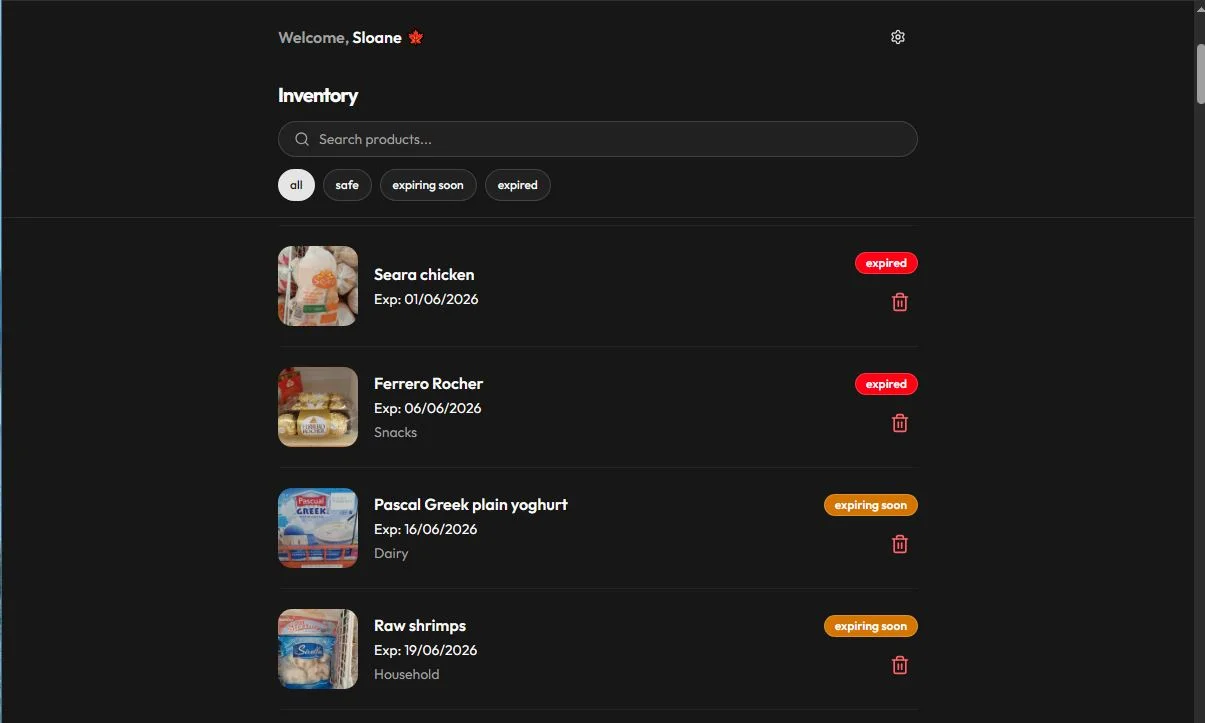
Expiro app homepage showing product listing.
Some projects start with a grand vision. Expiro started with a loss.
Not a dramatic one. Just the quiet, monthly kind. Products sitting on minimart shelves past their expiry dates, discovered too late, written off, and deducted from the wages of workers who could not afford it.
The Problem
Small convenience stores in Ghana manage inventory the way most small businesses everywhere manage inventory: mentally, or on paper, or not at all. Expiry dates are checked by eye during shelf restocking, which means products tucked behind newer stock or stored in less visible spots get missed entirely.
The consequence is not just waste. In a business running on thin margins with staff earning modest salaries, a monthly deduction for expired stock is genuinely painful. It affects real people.
The solution did not need to be complicated. It needed to exist.
What Expiro Does
Expiro is a progressive web app for tracking product expiry dates in minimarts. Staff log products with their expiry dates when they arrive. The app monitors those dates and sends alerts before anything expires, giving the team enough time to act; move the product to the front, run a promotion, or return it to the supplier.
The core loop is simple:
- Log a product with its name, image, category, quantity, and expiry date
- The app tracks every product and calculates days remaining
- Alerts go out via email and SMS before the expiry window closes
- Staff can mark products as actioned and keep the inventory current
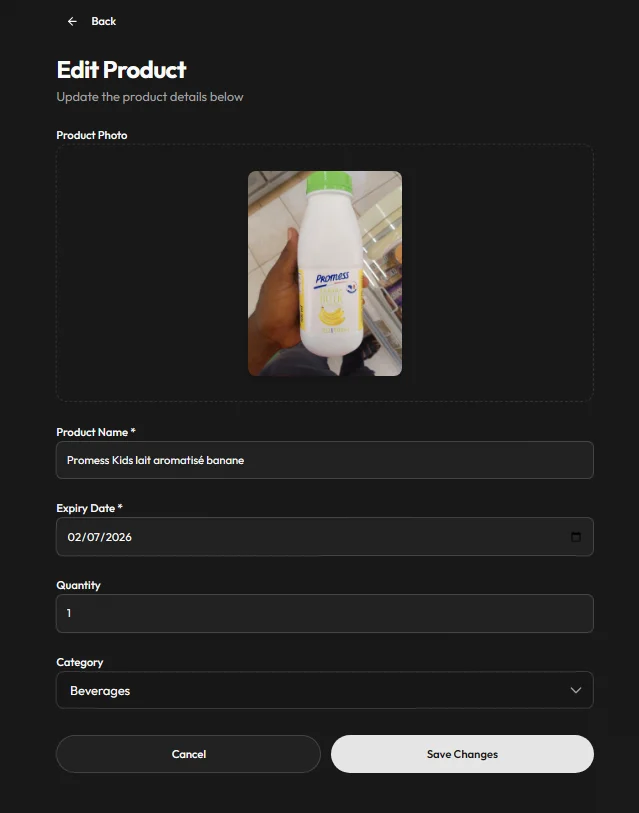
The product edit page view showing item nae, photo, category, and expiry date.
The Stack
Expiro is built with React and Vite on the frontend, Supabase for the database and authentication, Resend for email notifications, and Hubtel for SMS delivery. It is deployed on Cloudflare Pages, which keeps it fast and globally distributed without the overhead of a traditional server.
It is also a PWA, which means staff can install it on their phones directly from the browser and access it without going through an app store.
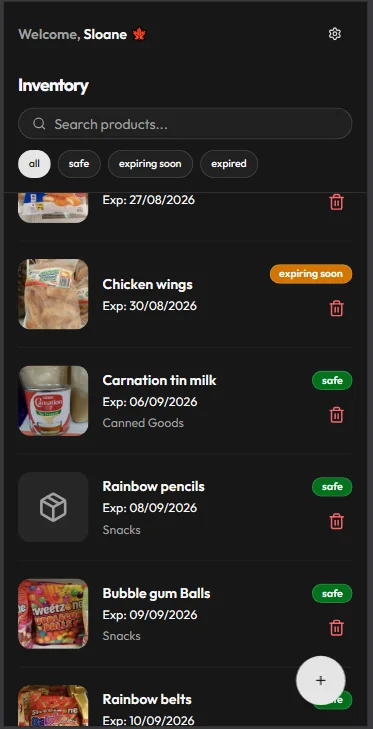
The dashboard as it appears on a phone. Mobile experience was a priority from the start.
The Hard Parts
Getting Expiry Logic Right
The most critical piece of the app is the expiry date engine. It sounds straightforward: compare today’s date to the stored expiry date and flag anything close. In practice, getting the alert windows right took more iteration than expected.
Different product categories need different lead times. A product expiring in three days is a crisis for fresh goods but a comfortable buffer for a sealed dry food item. Building a system that was configurable per category, without making the interface complicated for non-technical staff, required thinking carefully about defaults and how to surface urgency without creating noise.
The goal was alerts that felt timely, not alerts that got ignored because they came too early or too often.
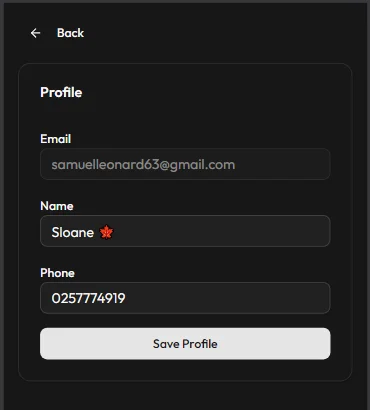
Profile edit page and mobile view of product listing.
Real-Time Stock Updates Without Overloading the Database
Expiro needed to feel live. When one staff member updates a product status, others should see it without refreshing. Supabase Realtime made this possible, but using it carelessly means a subscription firing on every keystroke or minor change, which adds up fast on a free-tier database.
The approach was to be deliberate about what triggers a real-time update versus what gets batched or polled. Status changes and expiry flags update in real time. Routine edits queue and sync on save. It is not a perfect system but it keeps the database breathing comfortably while the interface still feels responsive.
What Is Still Missing
Expiro is in production and being used daily by staff at the minimart. But there is a version of this app I have not built yet.
Push notifications are not implemented. Right now alerts go out by email through Resend , which works, but a proper browser push notification would make the app feel more immediate and native on mobile. That is the next thing to wire up.
Offline support is also incomplete. As a PWA it can be installed, but it does not yet cache data for fully offline use. In a minimart where the Wi-Fi can be inconsistent, this matters. Service worker caching for the product list and recent activity is on the roadmap.
And multi-tenant support does not exist yet. Right now Expiro is a single-instance app for one minimart. The architecture for supporting multiple businesses, each with their own isolated data, separate staff accounts, and individual billing, is a larger build. When that happens, Expiro becomes a SaaS product rather than a custom tool.
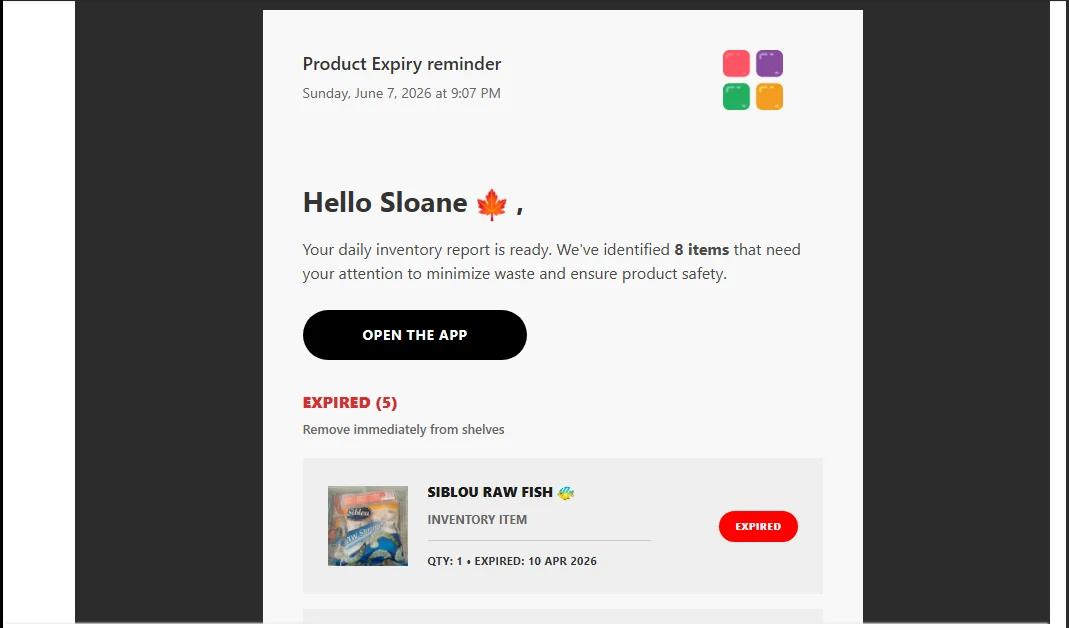
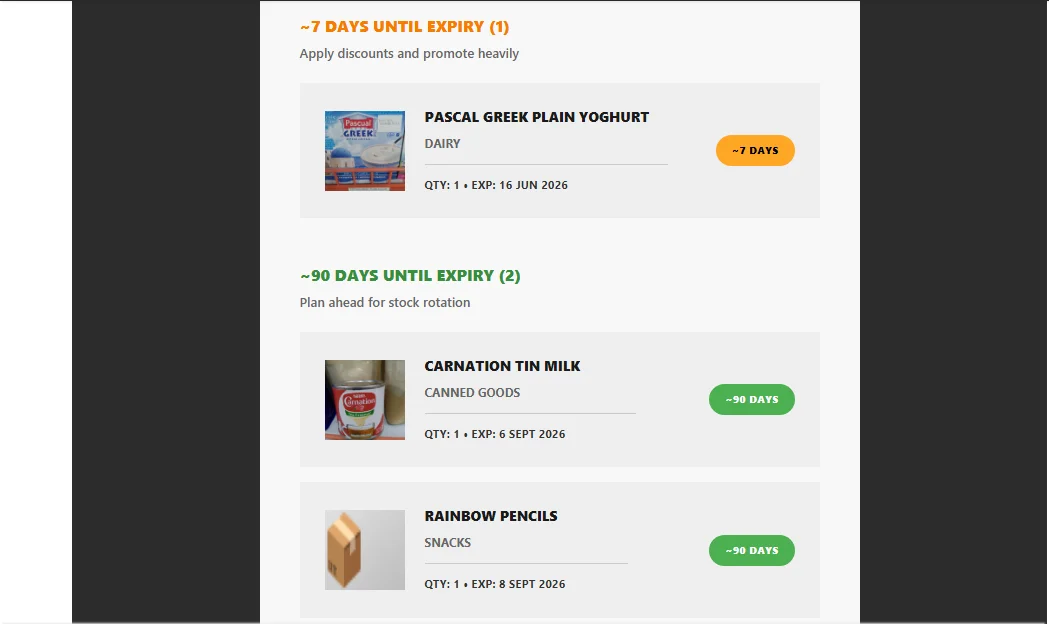
Product expiry mail reminder sent to users email.
What It Taught Me
Building Expiro was the first time I shipped something that went immediately into daily use by people who were not developers, had not asked for a beautiful interface, and simply needed the thing to work reliably every day.
That changes how you build. You stop optimising for what looks impressive and start optimising for what causes the least confusion at 8am when someone is stocking shelves before the first customers arrive.
It also taught me that the most compelling products are often the most specific ones. Expiro does not try to be a general inventory system. It does one thing for one type of business and it does it without getting in the way.
That specificity is what made it useful. And it is the philosophy I carry into everything I build now.
Expiro is live and currently being used in production athttps://expiro.pages.dev/. You can request access to try it out. If you run a small retail business and want to explore it, reach out at samueldorkeyjr@gmail.com.